
How to Reserve a Court
1.) If you have not created a 24/7 Golf account, create your account using the form below.
2.) Choose a Location
Grand Rapids or Ludington are the only pickleball locations.
3.) Click the “Reserve” link for the date and time you would like to make a reservation.
*Our facilities do not have staff on site, but we do have directions for first-time players at each bay. If you need additional assistance, you may call 616-350-9482.
If you are having challenges with the mobile version of your website PLEASE download the 24-7 Golf mobile app.
Reservations the easy way!! Download the 24-7 Golf mobile application.
- Create your account using the form below OR use the 24-7 Golf mobile app to create your account.
- Download the 24-7 Golf mobile app
- Login to the app using your credentials and ENJOY!!
Full instructions for using the 24-7 Golf mobile app (Powered by CourtReserve) here
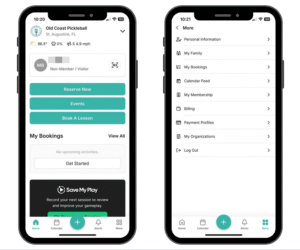
If you are having challenges with the mobile version of your website PLEASE download the 24-7 Golf mobile app.
Reservations the easy way!! Download the 24-7 Golf mobile application.
- Create your account using the form below OR use the 24-7 Golf mobile app to create your account.
- Download the 24-7 Golf mobile app
- Login to the app using your credentials and ENJOY!!
Full instructions for using the 24-7 Golf mobile app (Powered by CourtReserve) here